
安装必要的依赖

NixOS 配置添加这三个包

1
2
3
4
5
6
environment.systemPackages = [
pkgs.tigervnc
pkgs.xorg.xinit
pkgs.icewm
pkgs.x11vnc
];

  • pkgs.tigervnc&pkgs.x11vnctigervncx11vnc 都是可以开启 NixOS vncserver 服务的包,安装了之后 NixOS 就可以使用 vncserver 命令。
  • pkgs.xorg.xinitvncserver 脚本在启动虚拟桌面的时依赖 xinit,需要将其加入到系统包中。不然会报错。
    1
    2
    > vncserver :0 -gemoetry 1920x1080 -depth 24
    > .vncserver-wrapped: couldn't find "xinit" on your PATH
  • pkgs.icewm:在 vncserver 中运行完整的 GNOME 会非常卡顿且容易出错(因为 3 D 加速问题)。需要安装一个轻量级的窗口管理器。建议安装 icewmxfce 用于 VNC 连接。在 Nixos 中建议安装 icewm

为什么安装了 tigervnc 还要安装 x11vnc

因为我的 NixOS 使用的是 GNOME 桌面,并启用 Wayland 显示服务。如果使用 x11vnc 会出现下述报错。

1
2
3
4
5
6
7
8
~ › x11vnc -usepw  
Enter VNC password:
Verify password:
Write password to /home/qiqi49/.vnc/passwd? [y]/n y
Password written to: /home/qiqi49/.vnc/passwd
25/11/2025 14:40:52 x11vnc version: 0.9.17 lastmod: 2025-04-11 pid: 591848
25/11/2025 14:40:52 Wayland display server detected.
25/11/2025 14:40:52 Wayland sessions are as of now only supported via -rawfb and the bundled deskshot utility. Exiting

如果要使用 Wayland 支持的可以使用 tigervnc也有可能是我的操作失误,如果只安装 tigervnc 使用命令 vncpasswd 创建密码时候不会在 ~/.vnc/passwd 创建,这导致我后续使用命令启动 VNC 服务的时候传入不了密码。

但是我可以使用 x11vnc 使用命令 x11vnc -usepw 创建密码,它会帮你自动创建 ~/.vnc/passwd 文件

vncpasswd 创建的是加密文件,不能使用编辑器 (nano/vim) 直接编辑 ~/.vnc/passwd 文件。直接写入文本会导致 VNC 无法识别密码

更改 NixOS 配置

要确保 NixOS 配置允许 VNC 端口。在你的 /etc/nixos/configuration.nix 中,必须确保防火墙打开了 5900, 5901, 5902 端口。5902用于开启虚拟端口。

1
2
3
4
5
6
7
{ config, pkgs, ... }:

{
services.gnome.gnome-remote-desktop.enable = true;

networking.firewall.allowedTCPPorts = [ 5900 5901 5902];
}

配置启动脚本 (xstartup)

NixOS 默认不知道你想在 VNC 里启动什么桌面。你必须配置 ~/.vnc/xstartup,否则连进去是一片灰屏。

  1. 创建/编辑文件:

    1
    vim ~/.vnc/xstartup
  2. 写入以下内容 (使用 IceWM):

    1
    2
    3
    4
    5
    6
    7
    8
    9
    10
    11
    12
    13
    14
    15
    16
    17
    18
    19
    20
    21
    22
    #!/bin/sh

    # 修复剪贴板和一些环境变量
    unset SESSION_MANAGER
    unset DBUS_SESSION_BUS_ADDRESS

    # 屏蔽 Wayland
    unset WAYLAND_DISPLAY
    export MOZ_ENABLE_WAYLAND=0

    # 让GTK/QT使用x11
    export GDK_BACKEND=x11
    export QT_QPA_PLATFORM=xcb

    # 启动 D-Bus 会话总线
    if [ -x "$(command -v dbus-launch)" ]; then
    eval "$(dbus-launch --sh-syntax --exit-with-session)"
    fi

    # 启动窗口管理器
    exec icewm-session

  3. 保存退出 (:wq)

  4. 赋值执行权限
    1
    chmod +x ~/.vnc/xstartup

启动服务器

使用命令运行

直接运行命令:

1
xinit ~/.vnc/xstartup -- $(which Xvnc) :2 -rfbauth ~/.vnc/passwd -geometry 1920x1080 -depth 24

出现一些 warning 可以不用管,出现这些信息说明服务开启成功

1
2
3
4
5
6
7
8
9
10
11
12
13
14
15
16
17
18
Xvnc TigerVNC 1.14.0 - built Jan  1 1980 00:00:00
Copyright (C) 1999-2024 TigerVNC Team and many others (see README.rst)
See https://www.tigervnc.org for information on TigerVNC.
Underlying X server release 12101018


Tue Nov 25 18:45:16 2025
vncext: VNC extension running!
vncext: Listening for VNC connections on all interface(s), port 5902
vncext: created VNC server for screen 0
The XKEYBOARD keymap compiler (xkbcomp) reports:
> Warning: Could not resolve keysym XF86RefreshRateToggle
> Warning: Could not resolve keysym XF86Accessibility
> Warning: Could not resolve keysym XF86DoNotDisturb
Errors from xkbcomp are not fatal to the X server
[mi] mieq: warning: overriding existing handler (nil) with 0x5d8990 for event 2
[mi] mieq: warning: overriding existing handler (nil) with 0x5d8990 for event 3
xinit: XFree86_VT property unexpectedly has 0 items instead of 1

使用非本地主机连接 vnc 的时候一定要确保 NixOS 中端口 5902 开启

1
networking.firewall.allowedTCPPorts=[5902];

在 NixOS 配置 systemd 服务

在 NixOS 配置中添加以下代码:

1
2
3
4
5
6
7
8
9
10
11
12
13
14
15
16
17
18
19
20
21
22
23
24
25
26
27
28
29
30
31
32
{ pkgs, ... }:{
networking.firewall.allowedTCPPorts=[ 5900 5901 5902];

systemd.services.myserver-vnc = {
description = "VNC Server for User qiqi49";
after = ["network.target"];
wantedBy = ["multi-user.target"];

serviceConfig = {
User = "qiqi49";
PAMname = "login";
Type = "simple";

ExecStart = let
startScript = pkgs.writeShellScript "vnc-start-script" ''
#!/bin/sh
export PATH=$PATH:/run/current-system/sw/bin
unset DBUS_SESSION_BUS_ADDRESS
unset SESSION_MANAGE
unset WAYLAND_DISPLAY
export MOZ_ENABLE_WAYLAND=0
export GDK_BACKEND=x11
export QT_QPA_PLATFORM=xcb
if [ -x "$(command -v dbus-launch)" ]; then
eval "$(dbus-launch --sh-syntax --exit-with-session)"
fi
${pkgs.icewm}/bin/icewm-session
'';
in "${pkgs.xorg.xinit}/bin/xinit ${startScript} -- ${pkgs.tigervnc}/bin/Xvnc :2 -rfbauth /home/qiqi49/.vnc/passwd -geometry 1920x1080 -depth 24";
};
};
}

NixOS 不能运行使用 vncserver 命令运行

使用 vncserver 运行会出现以下报错:

1
2
> vncserver :1 -geometry 1920x1080 -depth 24 -xstartup ~/.vnc/xstartup  
> .vncserver-wrapped: Couldn't find suitable Xsession

因为 vncserver 是一个 Perl 脚本,它是按照传统 Linux(如 Ubuntu/CentOS)的文件结构编写的。它在启动时会通过硬编码的路径(例如 /etc/X11/Xsession)来寻找系统的启动会话文件。

而在 NixOS 中,这些标准路径是不存在的(NixOS 的文件都在 /nix/store/... 里),所以 vncserver 脚本找不到它需要的基础文件,直接报错退出。

在 NixOS 上,我们不能直接运行 vncserver 命令。你有两个解决方案:一个是用 xinit 命令手动启动(临时测试用),另一个是配置 Systemd 服务(长期稳定用)。

使用 systemd 服务不能启动终端,但是命令行启动无问题

  • 使用命令行启动时:
    你是一个登录用户。Shell(终端)会自动加载 /etc/profile 和用户配置,因此你的 PATH 环境变量里包含了 /run/current-system/sw/bin(这是 NixOS 存放 xterm, firefox 等常用命令的地方)。IceWM 继承了这个 PATH,所以它能找到 xterm

  • 当你使用 Systemd 启动时:
    Systemd 是一个后台服务管理器,它运行在一个非常精简、隔离的环境中。默认情况下,它的 PATH 通常只包含 /nix/store/... 里的一些核心工具,不包含 /run/current-system/sw/bin
    当在 VNC 里按下快捷键,IceWM 试图执行命令 xterm,但它在它的 PATH 里找不到这个命令,于是执行失败,且没有任何提示。
    必须要在脚本中手动添加系统路径

    1
    export PATH=$PATH:/run/current-system/sw/bin

客户端连接

vncviewer

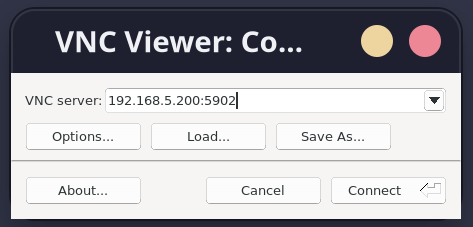
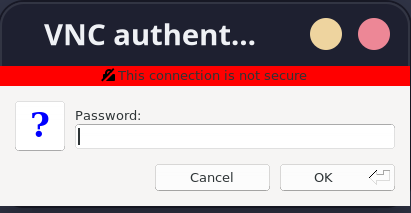
  • 可以使用在本地使用 vncviewer 查看自己的 vnc 服务是否开启成功,输入 本地 IP:5902,连接输入密码。
    alt text
    alt text

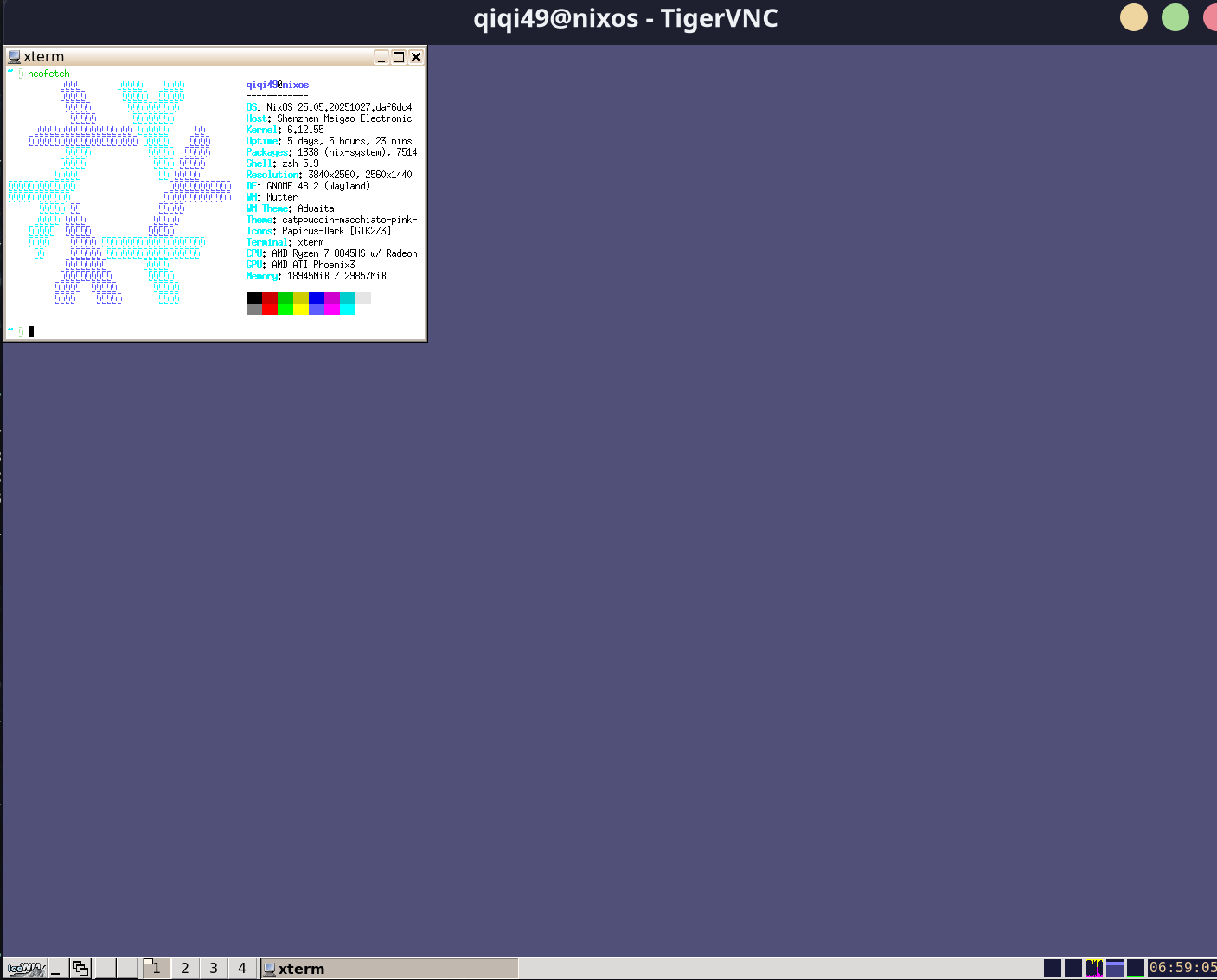
  • 在手机上可以使用 RVNC viewer,也是输入 IP 地址: 5902 就可以连接。出现下面的信息就说明连接成功了。
alt text

使用 Zerotier 或者 Tailscale 创建虚拟公网

使用 Zerotier 或者 Tailscale 创建虚拟公网,将连接设备添加到同一个公网中,这样就可以远程连接 NixOS 服务器

使用客户端启动 firefox

在客户端启动 firefox,发现是在物理机上启动 firefox,而不是在 icewm 中启动。需要添加环境环境变量

1
2
unset WAYLAND_DISPLAY
export GDK_BACKEND=x11

因为 firefox 会优先选择 Wayland 通道,绕过了 vnc 的 x11 协议。所以要使 firefox 强制使用 x11 后端